Link your child's device
Pair the parent and child phones with a code. Use Local for a shared device, or Remote to manage each linked child's Android device from your own phone.
Local and remote parental control in one app: manage app limits and tasks, explore location history, and connect through approved listening, camera and view-only screen sharing.
Available now: 1.5.1 (build 51)Camera sharing, view-only screen sharing and redesigned family views are now on Google Play. Update Grounded on both parent and child phones to use the latest features.

The Parental tab brings local controls and linked child devices together. Remote supervision is exclusively for parents or legal guardians supervising their own children, never for secretly monitoring adults.
Pair the parent and child phones with a code. Use Local for a shared device, or Remote to manage each linked child's Android device from your own phone.
Choose apps installed on the child device. Manage Blocking, Timing and Frequency groups, including schedules. Basic remote blocking includes one group with default settings; paid add-ons unlock unlimited groups and custom settings.
Assign homework, reading or chores remotely. Review completion and approve extra screen time or an earlier end to blocking. Children see their tasks and rewards in Kids mode.
With child-device approval and Android permissions, see the latest reported location, accuracy and update time. Explore a rolling 30-day history of places where the phone was observed for more than 30 minutes. Stop sharing or delete history at any time.
Listen after separate approval on the child device. Approval lasts until disabled in Kids mode. Visible Grounded notices and Stop controls remain available. Live audio is not recorded; listening pauses when calls or other apps need the child's microphone.
View the linked child's front or rear camera after separate approval on that device. Approval lasts until disabled. Approved background readiness keeps the camera idle until a request arrives, with visible notices and Stop controls. No recording.
Request a view of the child's whole screen. The child accepts each session and approves Android's sharing dialog. No remote taps, typing or recording. Protected content can appear blank; locking the screen ends sharing.
Kids mode separates My apps, Sharing and Device. Parents manage each child through Limits, Connect and Device. Access history is available from the toolbar; active sharing and Stop controls stay visible.
Listening, camera-only and screen sharing use 1 credit per minute; camera with listening uses 2 credits per minute. The Parental add-on or All Add-ons bundle unlocks sharing; credits are separate. Billing starts after connection, and sharing stops when time or credits run out. Eligible bundle referrals award both parents 15 credits.
The Parental add-on covers local and remote parental features and is included in the all-add-ons bundle. Referral awards are once per invited account, subject to eligibility checks, monthly limits and refund reversal.
Background sharing and approved listening depend on permissions, connectivity, battery restrictions and a powered-on device. Force-stopping the app may prevent operation until it is reopened. Grounded is not an emergency service. Maps use OpenStreetMap with attribution.
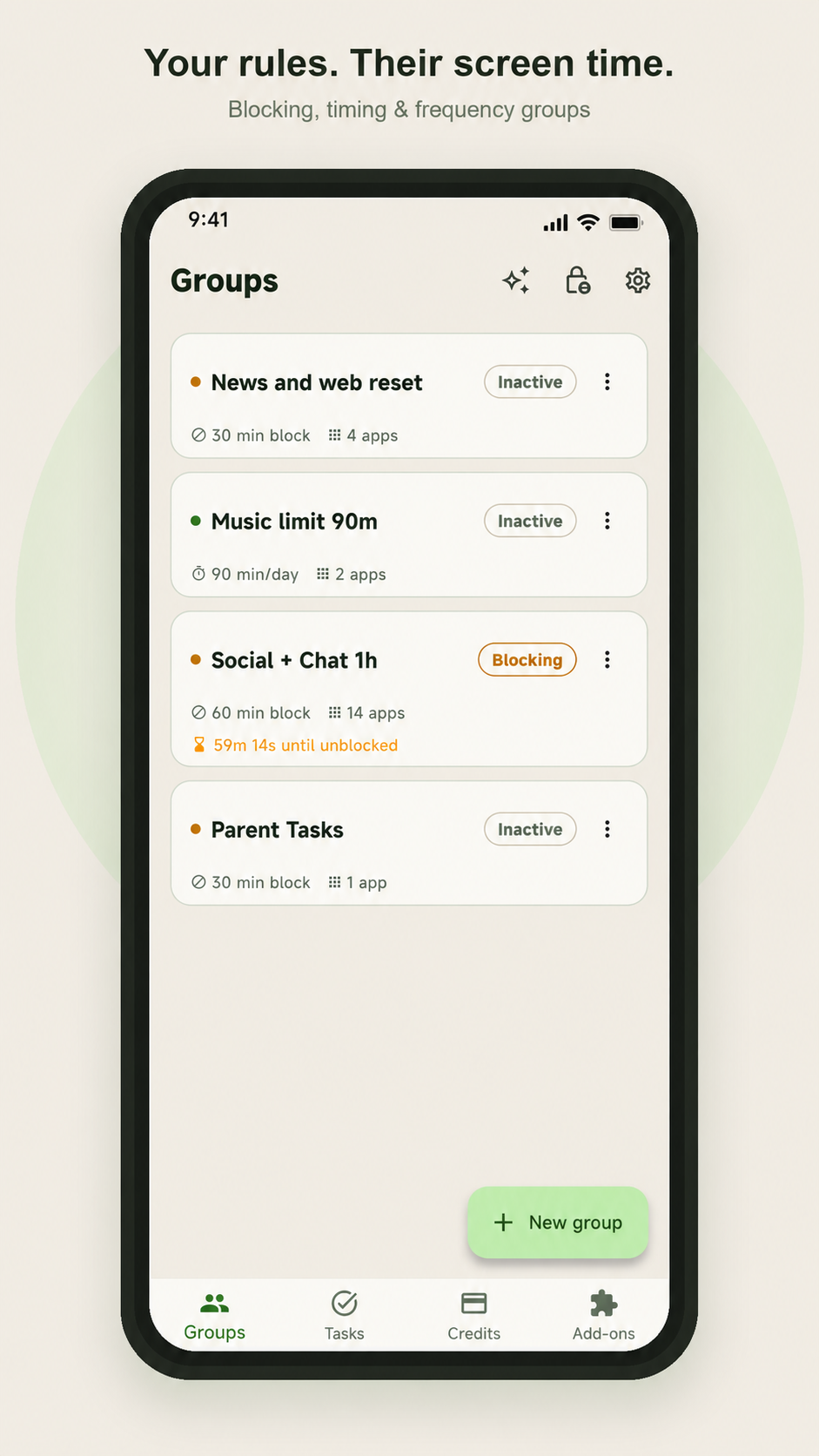
Group your apps however makes sense — social, news, games — then pick the rule that fits the habit you're trying to change. Mix and match across groups.
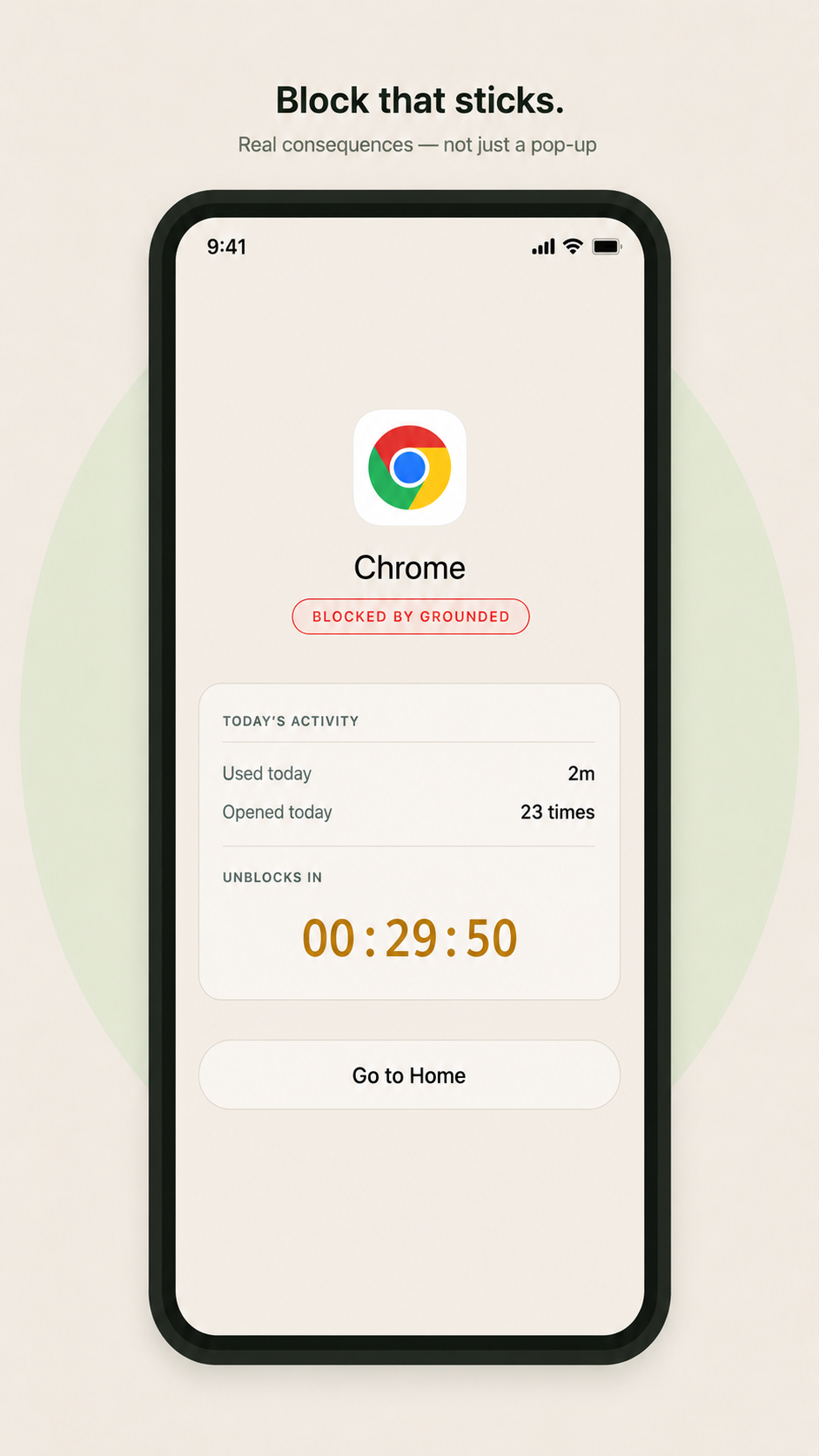
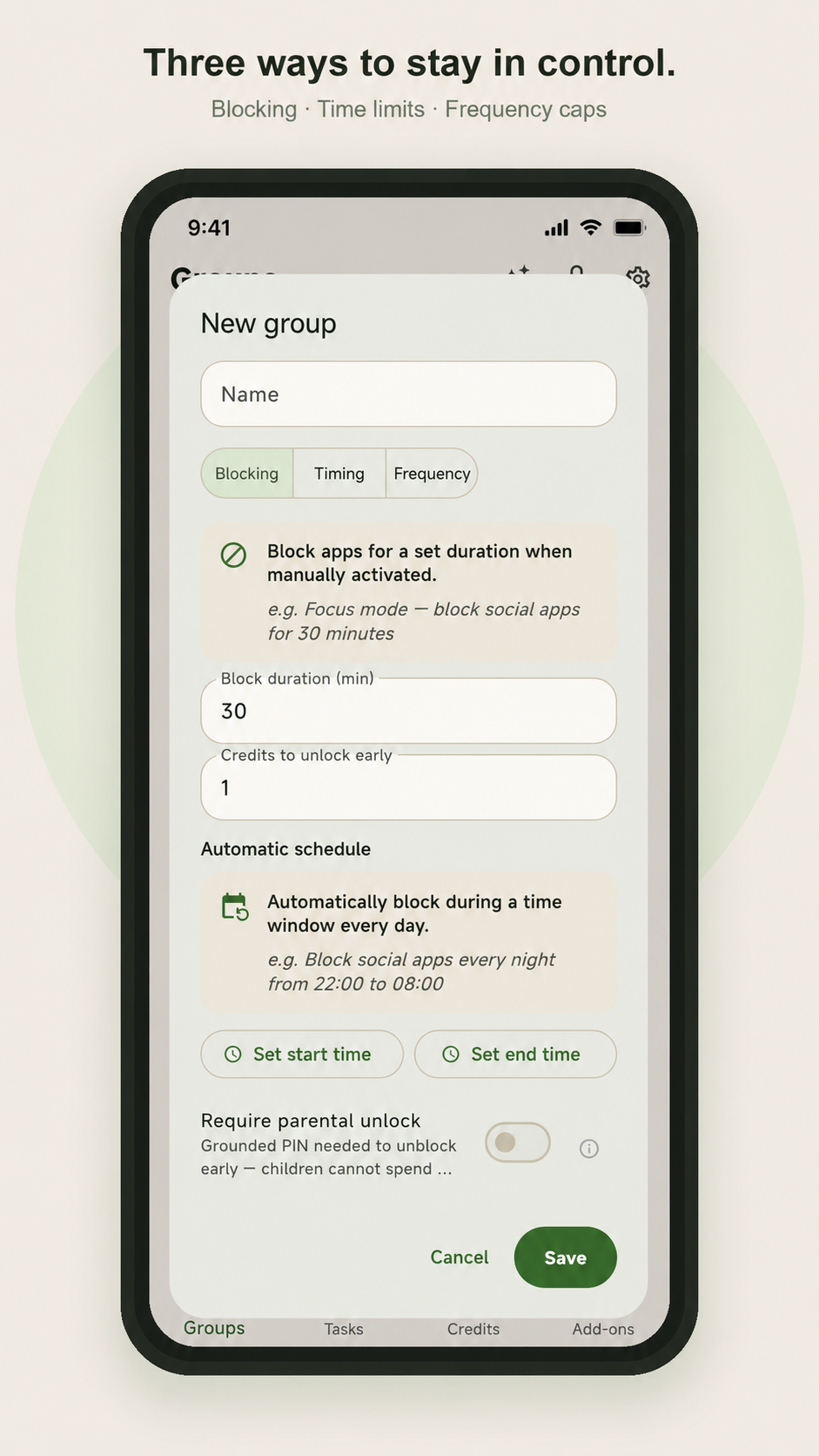
Start a focus block for a chosen duration. Early unblocking follows your configured parental approval and credit rules.
Allow apps for a daily allowance. Once the budget is spent, they stay blocked until midnight resets the clock.
Block apps after you've opened them too many times. Catches the doom-scroll loop before it has a chance to settle in.
Set a daily window (e.g. 22:00 → 08:00) and blocking activates without you having to remember.
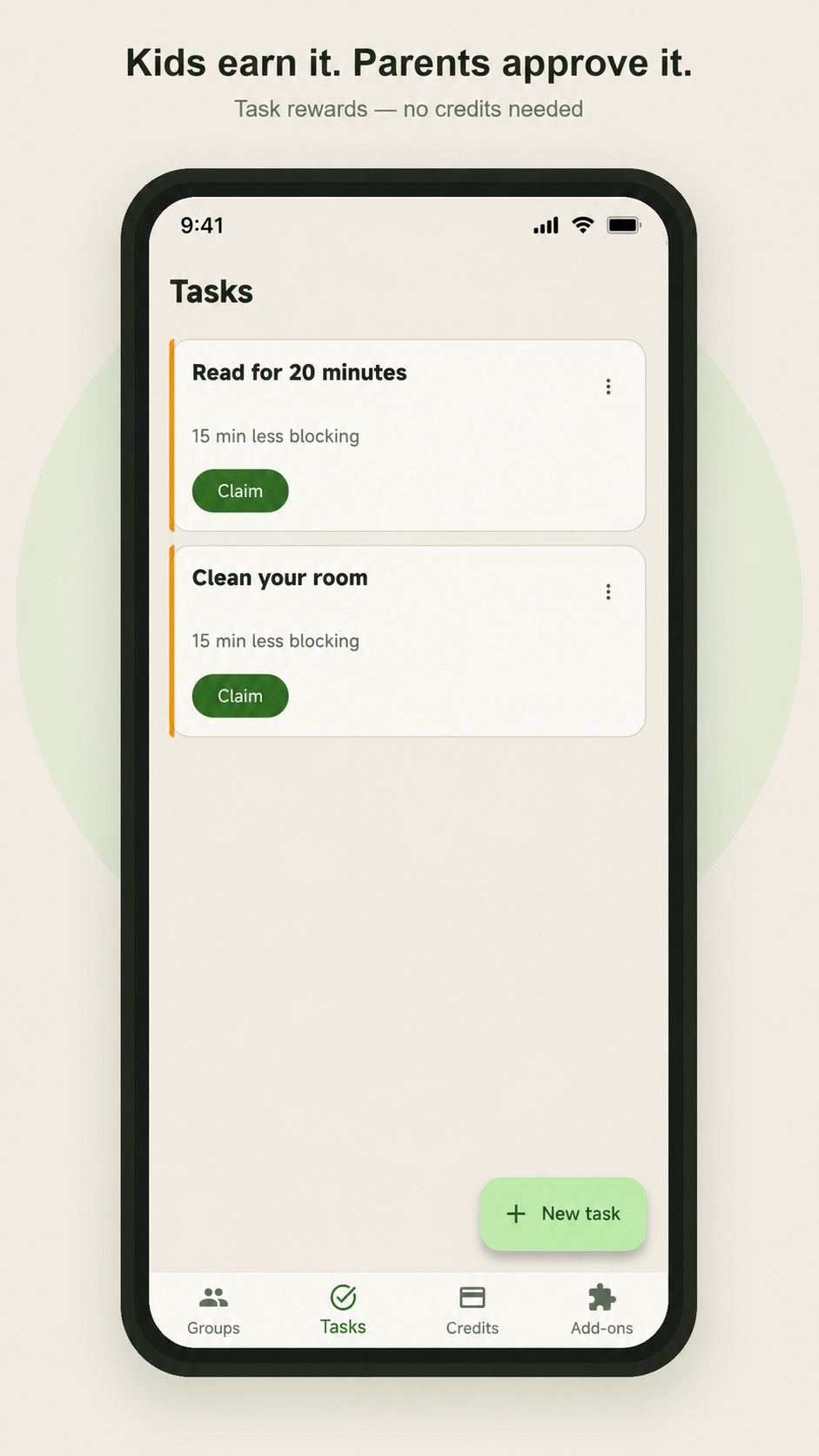
Set chores or homework as tasks. When you mark them complete, your child gets reduced block time or extra budget on their timing groups.
Protect local controls with a PIN and manage linked child devices from the Remote view.
Visible foreground services support approved background features. Availability still depends on Android permissions, battery settings and network connectivity.
Bundle apps into named groups — "Social," "News & doomscroll," "Games" — and apply the right rule to each. Edit them whenever the habit shifts.
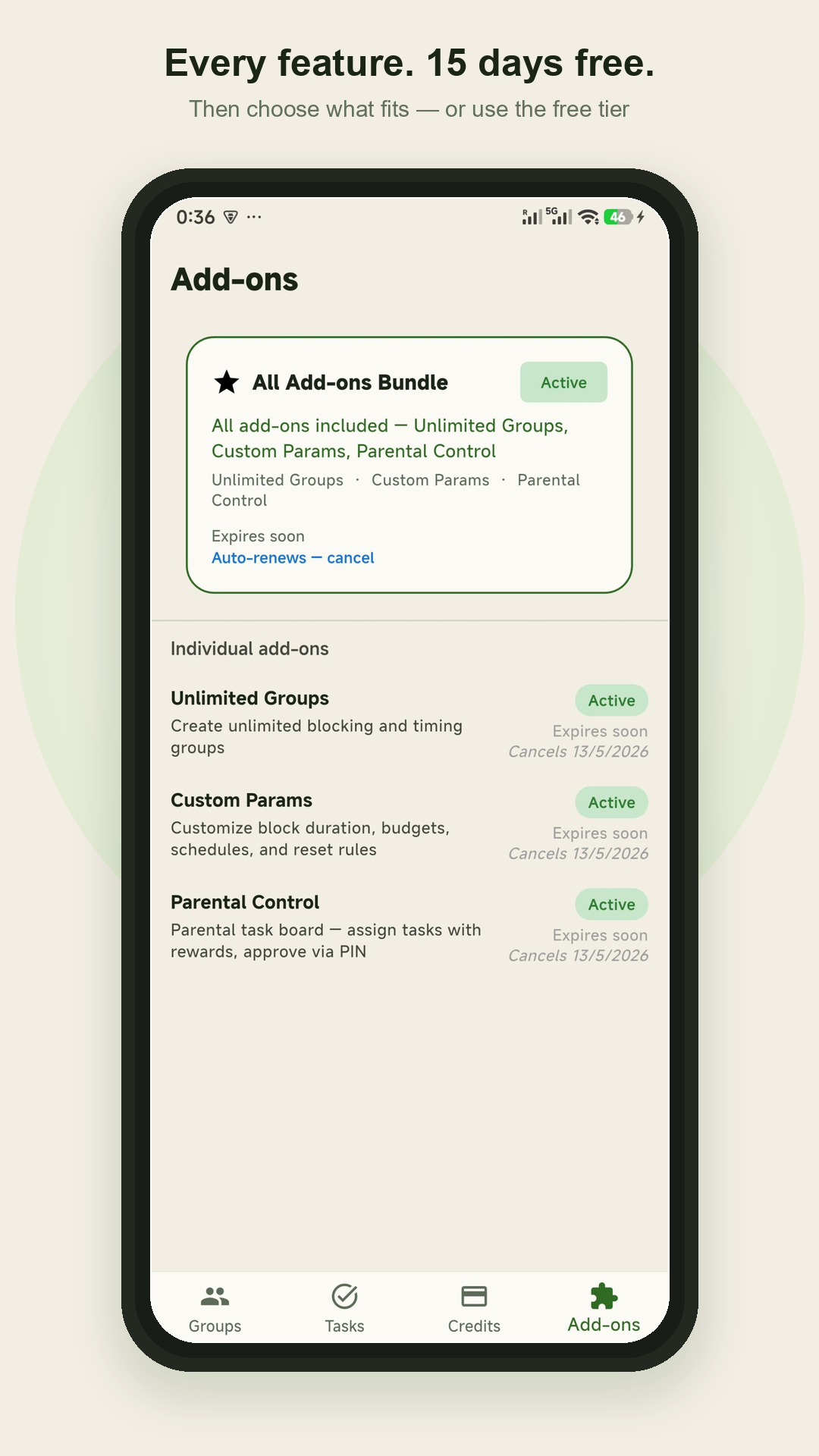
Screenshots illustrate app blocking, tasks and add-ons. The latest parental features are described above; some screens may differ in version 1.5.1.
Real screenshots — groups, the block screen, parent-approved tasks, the new-group flow, and the add-ons tier.
Download Grounded 1.5.1 from Google Play for local and remote parental control, approved camera sharing and view-only screen sharing.
Download on Google PlayRemote features send data between linked devices. Location, listening and camera need separate child-device approval; screen sharing needs approval for each session. Sharing is visible and stoppable. Our privacy policy explains what is collected and retained.
Read the full privacy policyGrounded is an Android app blocker built to hold the line. Unlike system timers you can dismiss with a tap, Grounded uses a foreground service that keeps blocking active even when your screen is off. Block distracting apps — Instagram, YouTube, TikTok, games — with a hard lock, a daily time budget, or a frequency cap.
Download on Google Play →Set daily app allowances and block selected apps when their budget is spent. Parent-approved tasks can add time; early unblocking follows the configured rules. Android permissions and battery settings are required for enforcement.
Download on Google Play →Set local screen-time rules with a PIN, or assign tasks to linked child devices and approve extra time remotely.
Download on Google Play →Grounded combines local and remote parental control, app limits, tasks, optional location sharing, approved one-way listening, approved camera sharing and view-only screen sharing.
No. The same Grounded app has parent and child modes. Remote control uses a linked child profile and device; local control applies rules to the phone you are using.
Basic remote blocking allows one group with default settings. Parental or All Add-ons unlocks paid parental features. Listening, camera-only and screen sharing cost 1 credit per minute; camera with listening costs 2. Credits are purchased separately.
No. Location, listening and camera require separate child-device approval and Android permissions. Screen sharing needs approval for every session. Grounded notices identify sharing and provide Stop controls. Background availability depends on Android, connectivity and battery settings.
Location history covers a rolling 30 days. The map shows places where the child device stayed for more than 30 minutes. Location sharing is optional and can be disabled on the child device.
Version 1.5.1 (build 51) adds approved camera sharing, view-only screen sharing, redesigned parent and Kids views, and clearer permission setup. Update both linked phones from Google Play. Sharing requires the Parental add-on or All Add-ons bundle, separate credits and the relevant child-device approvals.
Download Grounded today. Free for 15 days, no card required.